Dispatch & Routing

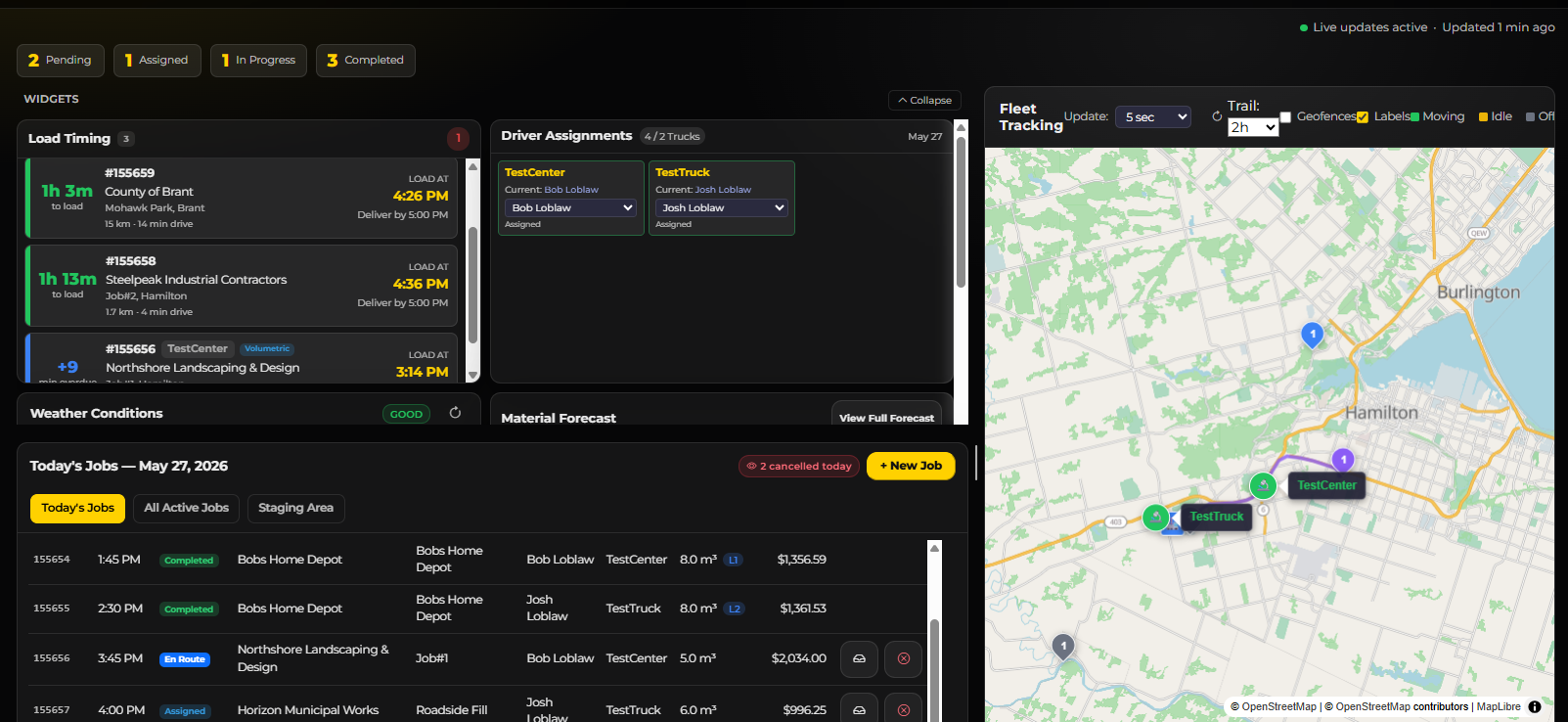
Run the day from a live board and build the week on a drag-and-drop calendar, with route sequencing, weather, driver assignment and a reconciliation step that matches what was poured back to what was ordered.

Live Dispatch Board Month / Week / Day Calendar Drag & Drop Scheduling Route Optimisation Interactive Fleet Map Weather Integration Ticket Reconciliation Fuel Logging Incident Reports
Dispatch Board

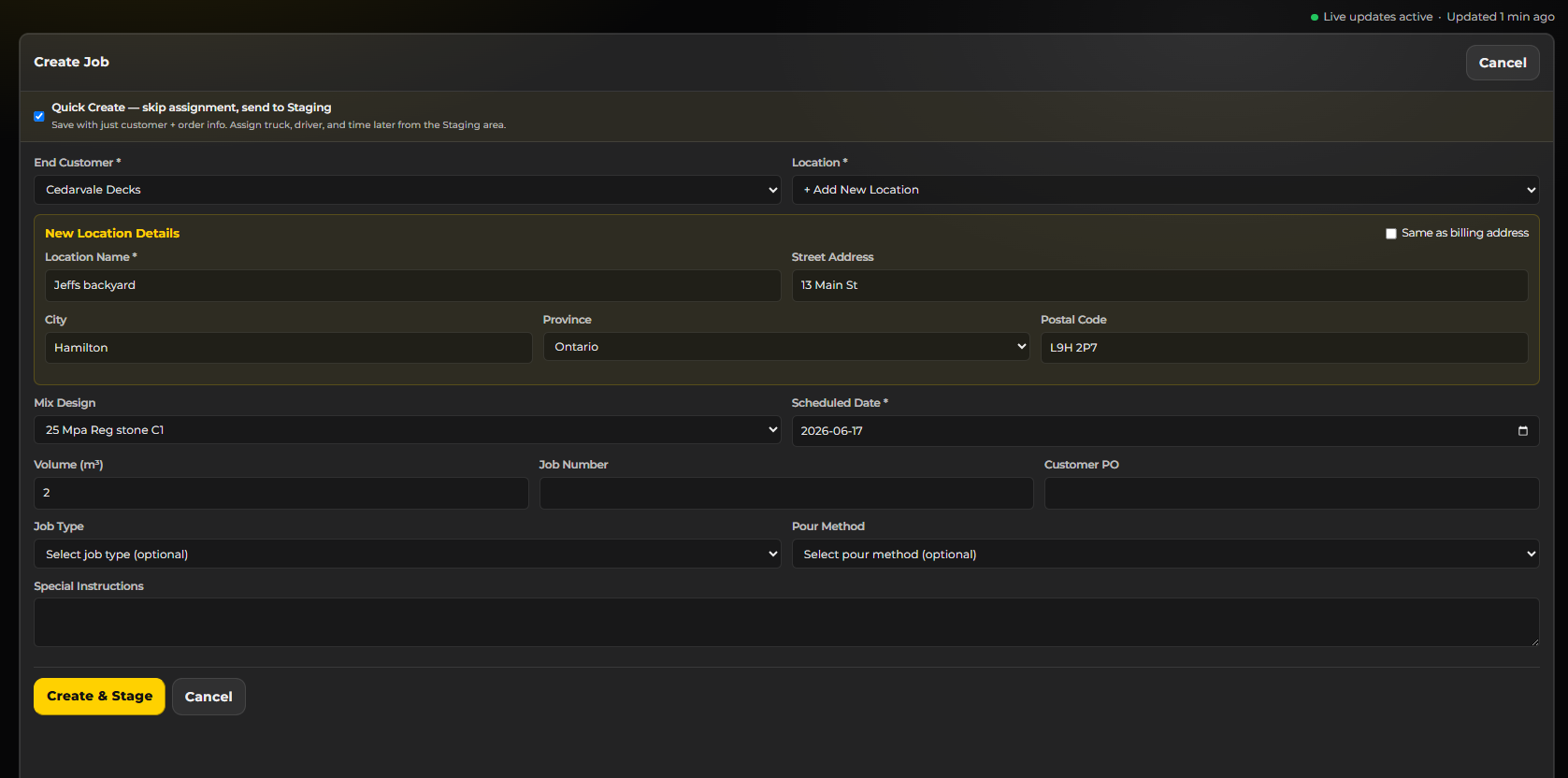
Quick Job Creation

Create a job in seconds — end customer, delivery location, mix design, date and time, truck and driver, volume and site instructions. It lands on the board and the calendar immediately.

Quick Job Creation

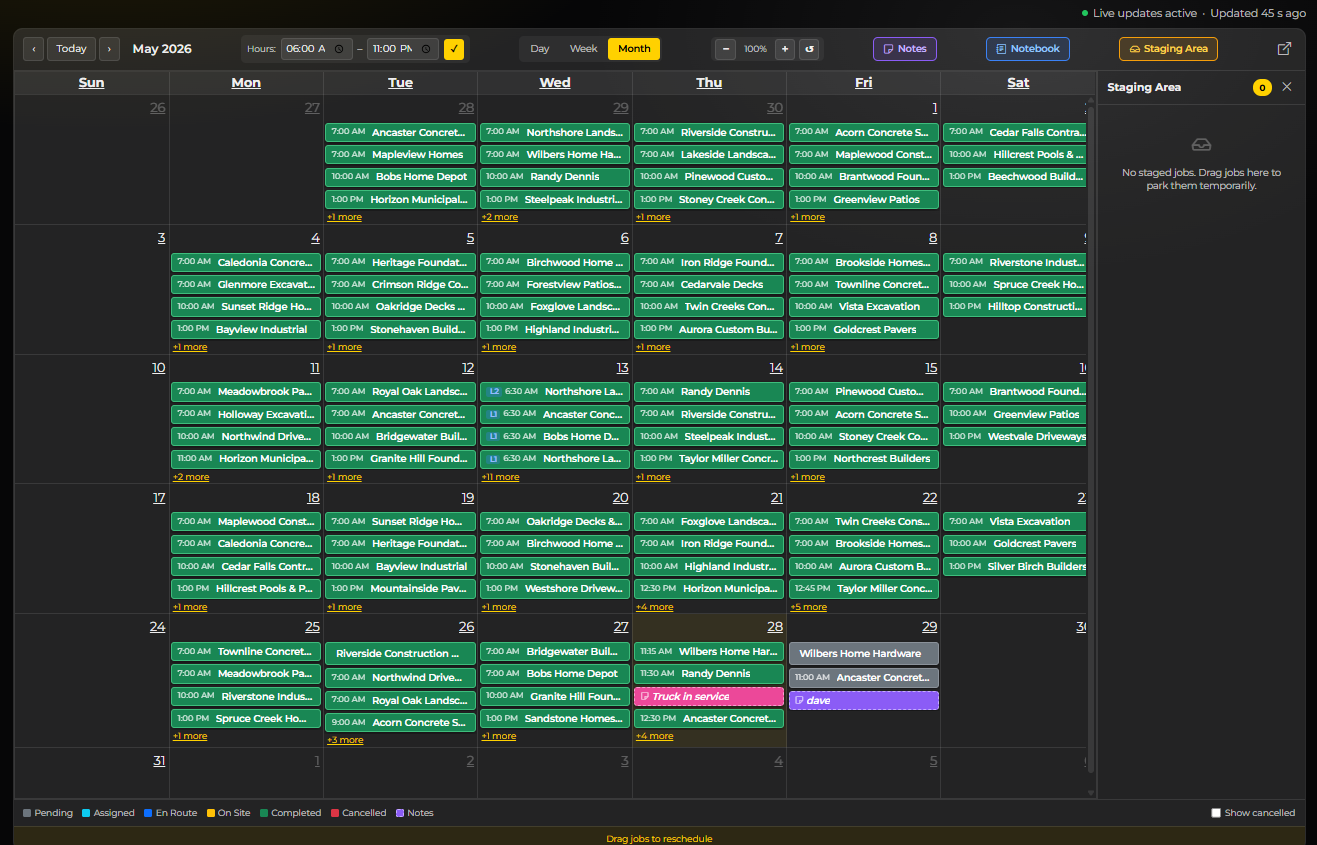
Monthly Calendar

The whole month at a glance, colour-coded by status — pending, assigned, en route, on site, completed, cancelled. Drag a job to another day to reschedule it; double-click an empty slot to create one there.

Monthly Calendar

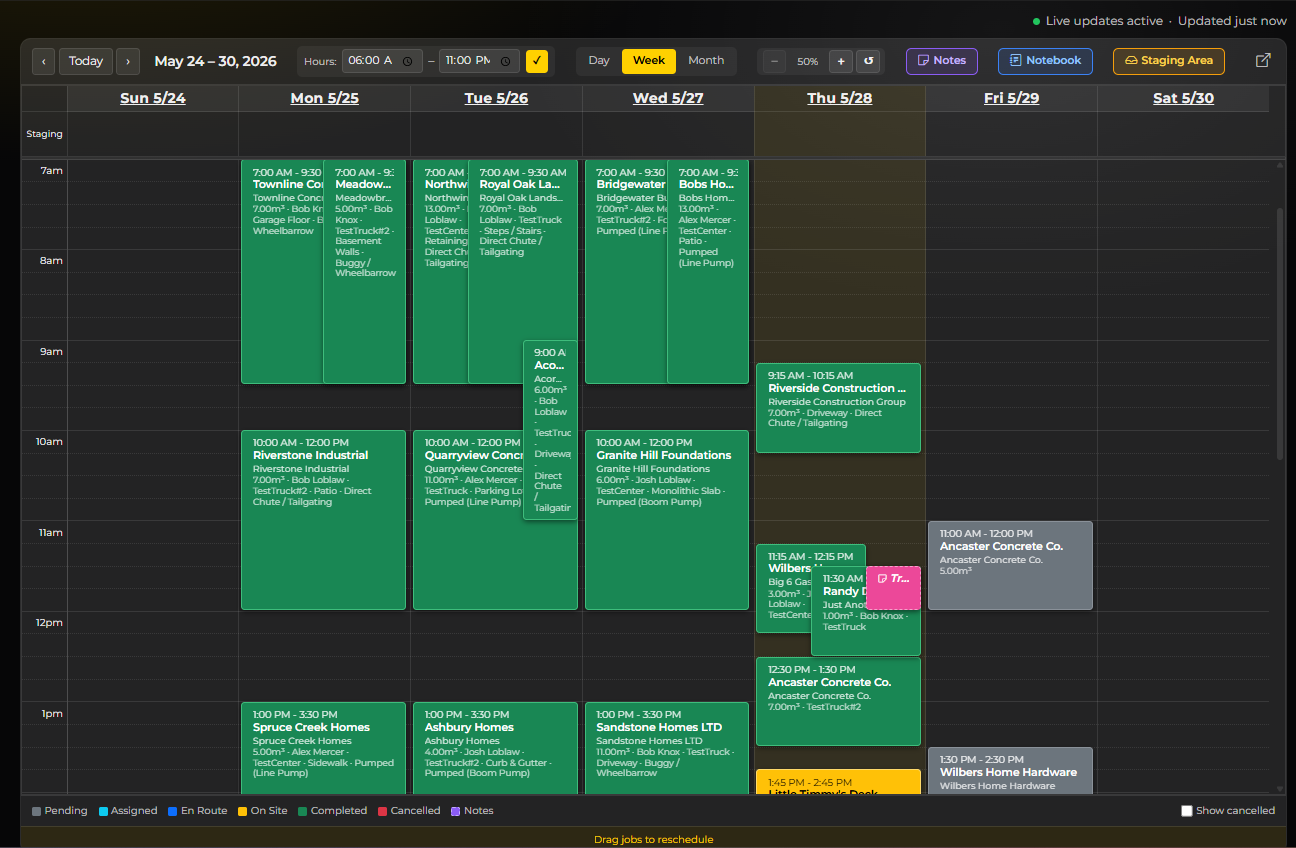
Weekly Calendar

The week broken into hourly slots, so you can see job durations, overlapping deliveries and the gaps you still have to sell.

Weekly Calendar

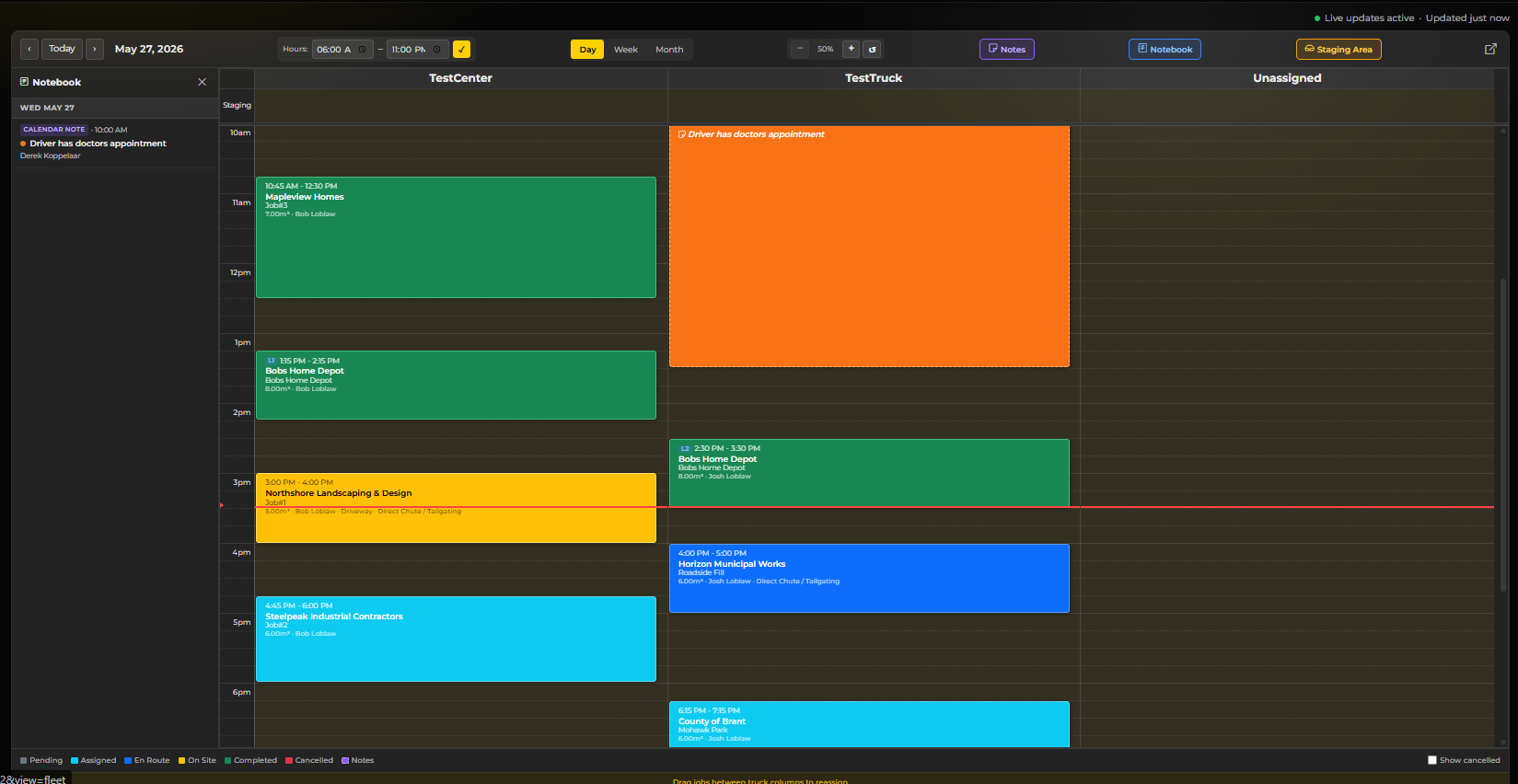
Daily View — One Column Per Truck

The day split by machine, each truck in its own column. Drag a job sideways to reassign it, up or down to re-time it. Unassigned work waits in its own column until you place it.

Daily View — One Column Per Truck

Everything About One Job

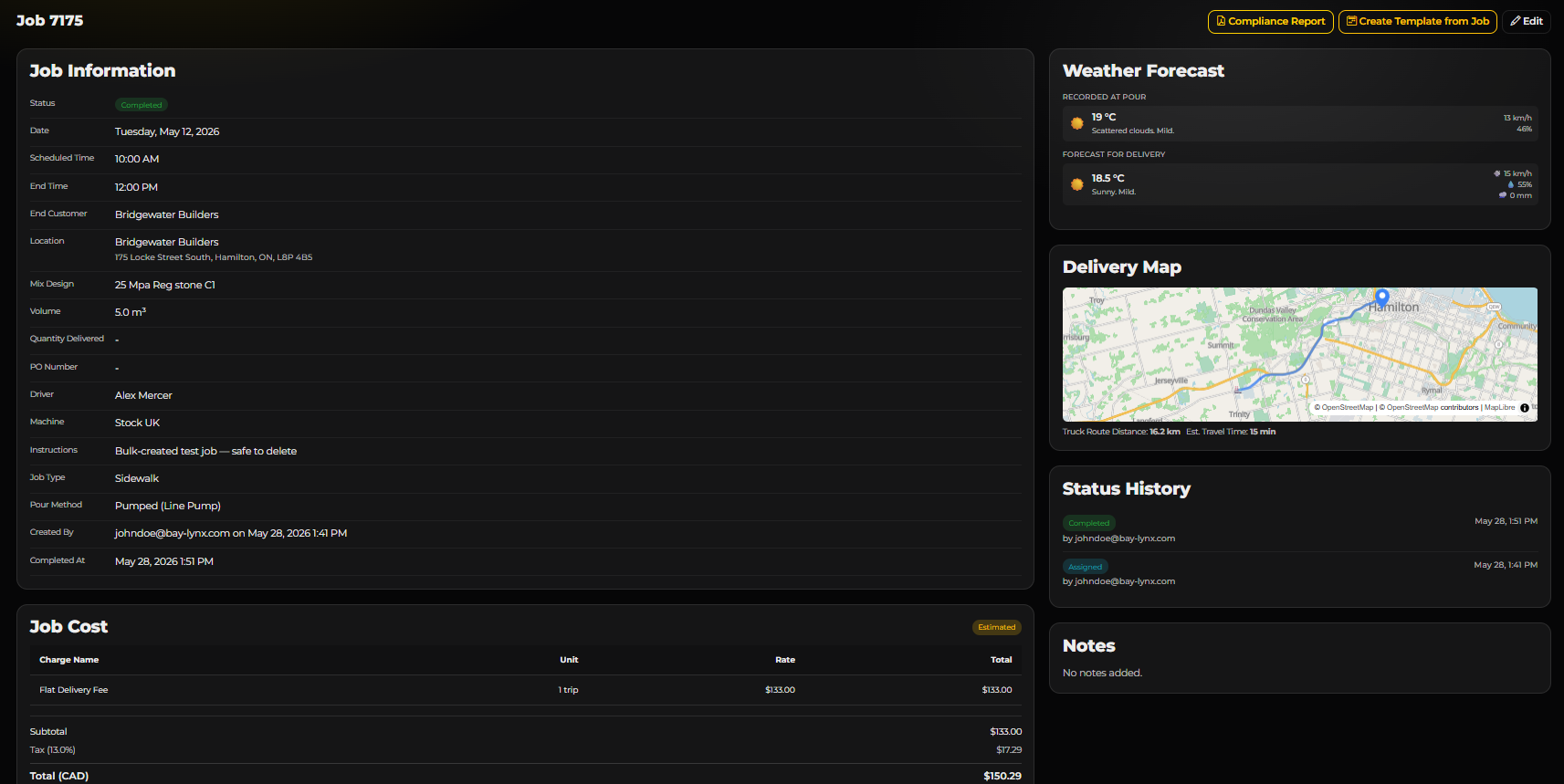
The full record for a single job: end customer, location, mix design, volume ordered against quantity delivered, driver, machine, pour method and site instructions. Beside it, the weather recorded at the pour and forecast for delivery, a delivery map with truck route distance and travel time, a timestamped status history showing who changed what, and the job cost with its charge lines, tax and total.

Everything About One Job

Route Optimisation Planner

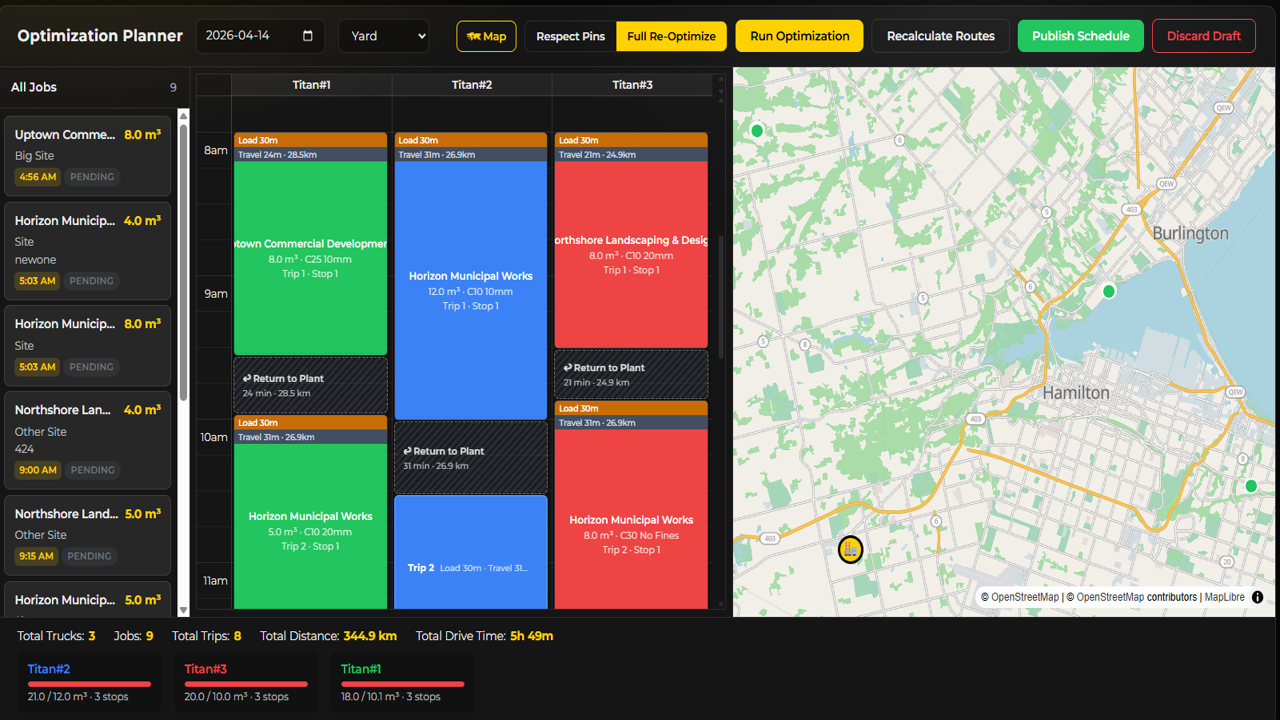
Pick a date, review the scheduled work, and let the optimiser sequence deliveries across the fleet for the least drive time — using each truck's real profile, not car directions. Review the proposed plan truck by truck with load and travel times, pin the jobs you want left alone, then publish it to the schedule or discard the draft.

Route Optimisation Planner

End Customers & Delivery Locations

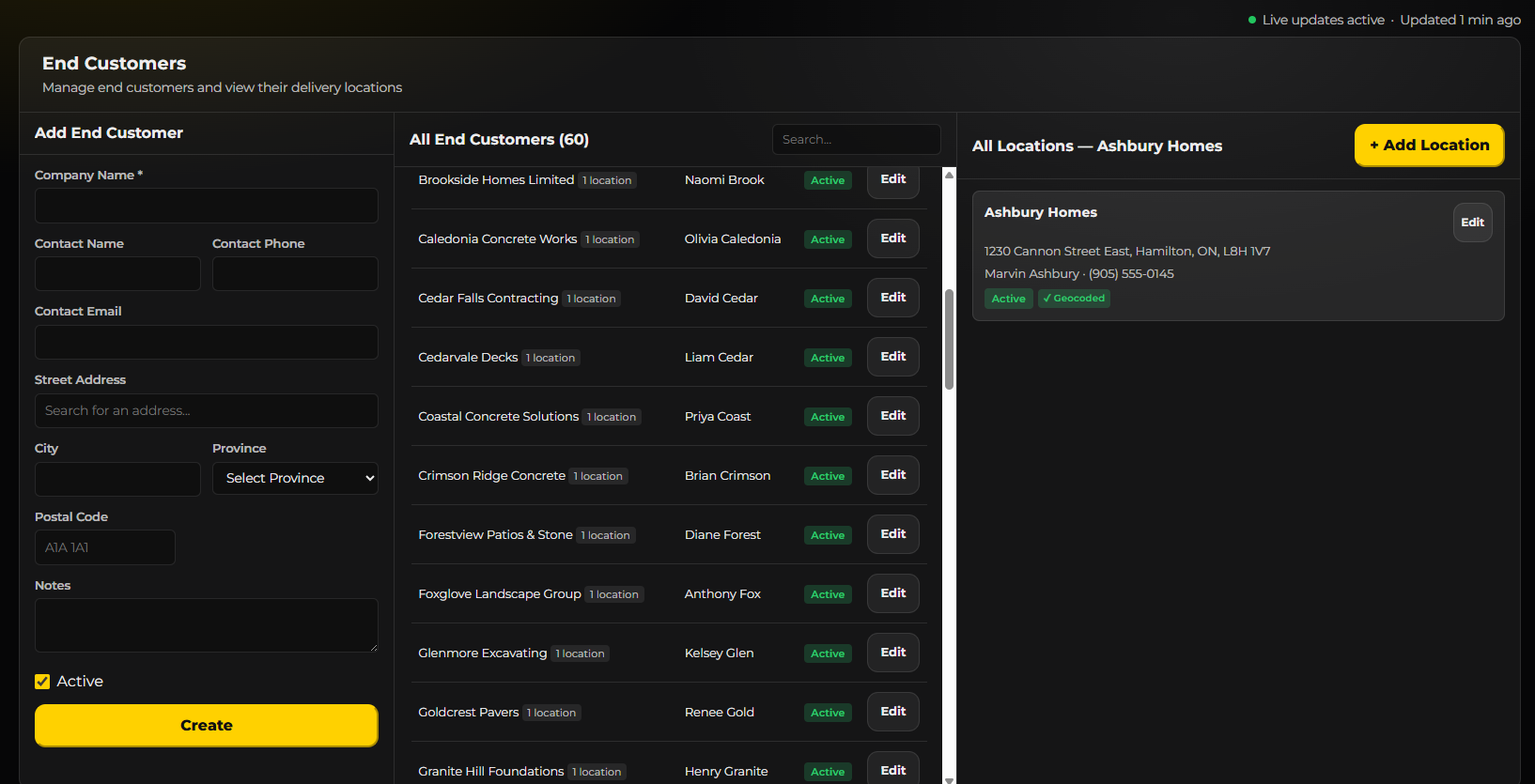
Your customer book, with a contact and any number of delivery locations against each name. Addresses are geocoded as you add them, so every job you schedule for them already knows where it is going.

End Customers & Delivery Locations

Reconciliation — Ordered Against Poured

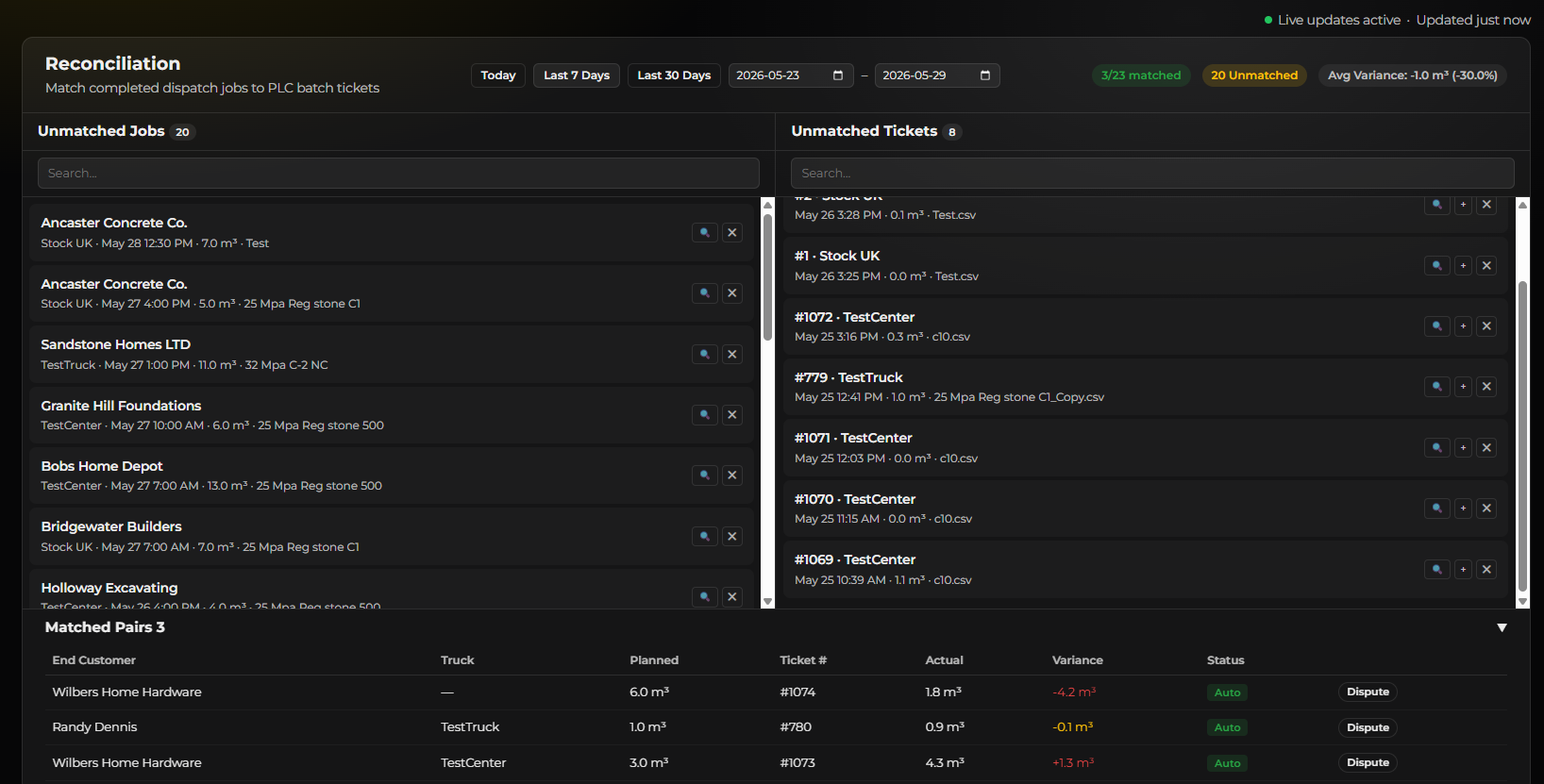
Completed jobs on one side, batch tickets from the machines on the other. Matches are made automatically where they are obvious and by hand where they are not, and every matched pair shows planned volume against actual with the variance called out. Anything that does not add up can be disputed rather than quietly absorbed.

Reconciliation — Ordered Against Poured

Incident Reports

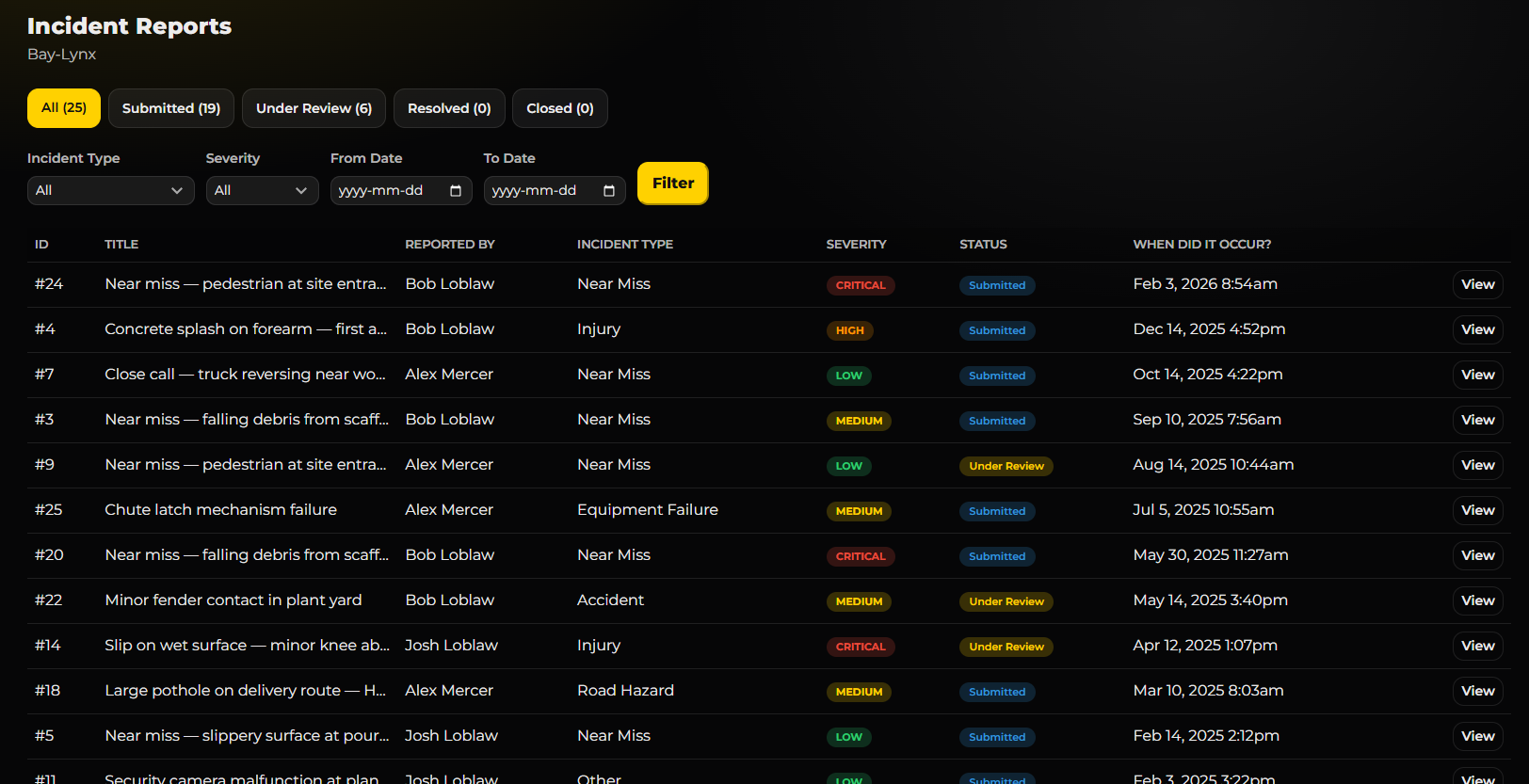
Drivers file incidents and near-misses from the truck, with photos. They land here for review, follow-up and the record you will want later.

Incident Reports

Fuel Logging

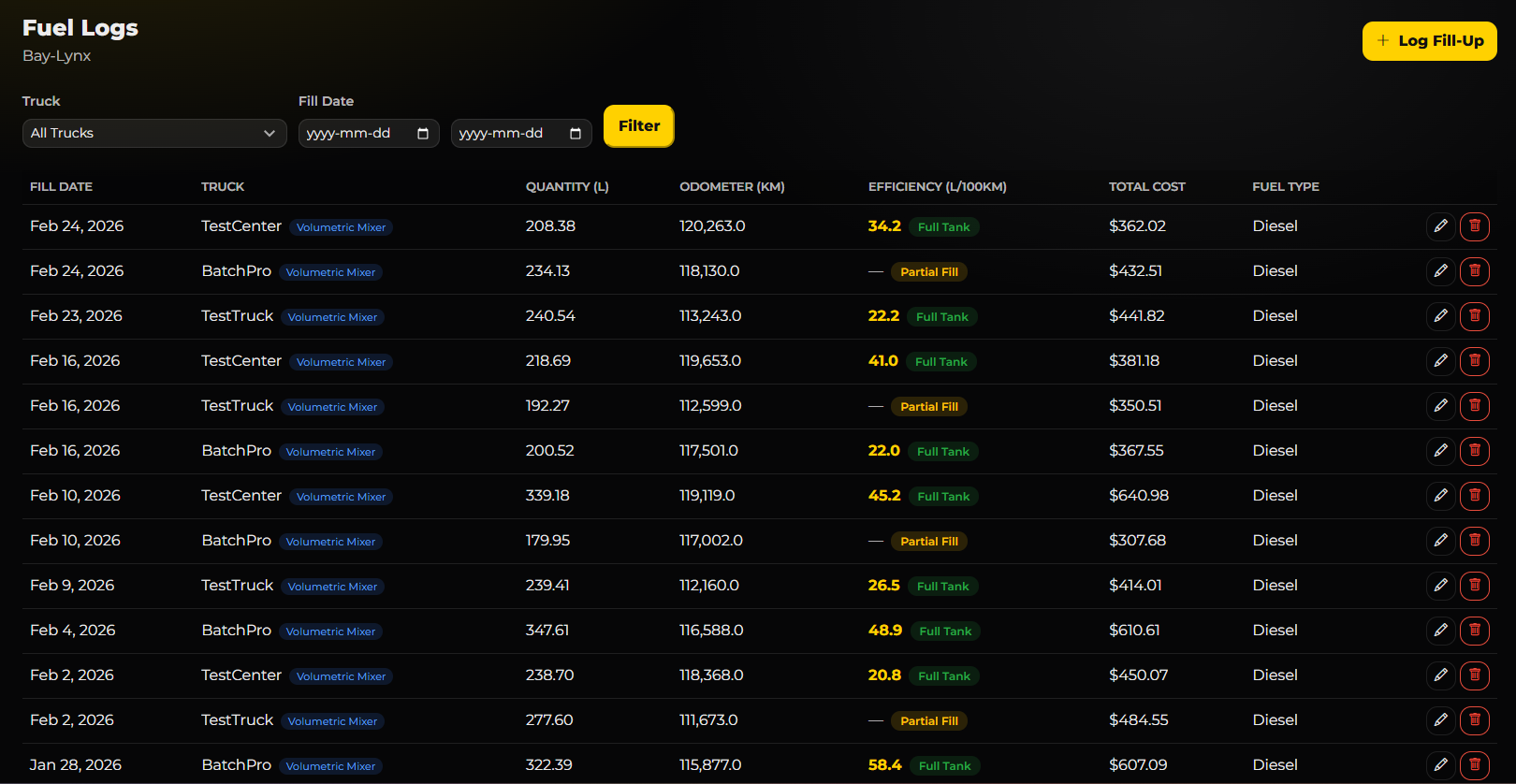
Fuel purchases and consumption per machine, logged by the driver at the pump and fed straight into the fuel efficiency and cost analytics.

Fuel Logging

Plants & Yards

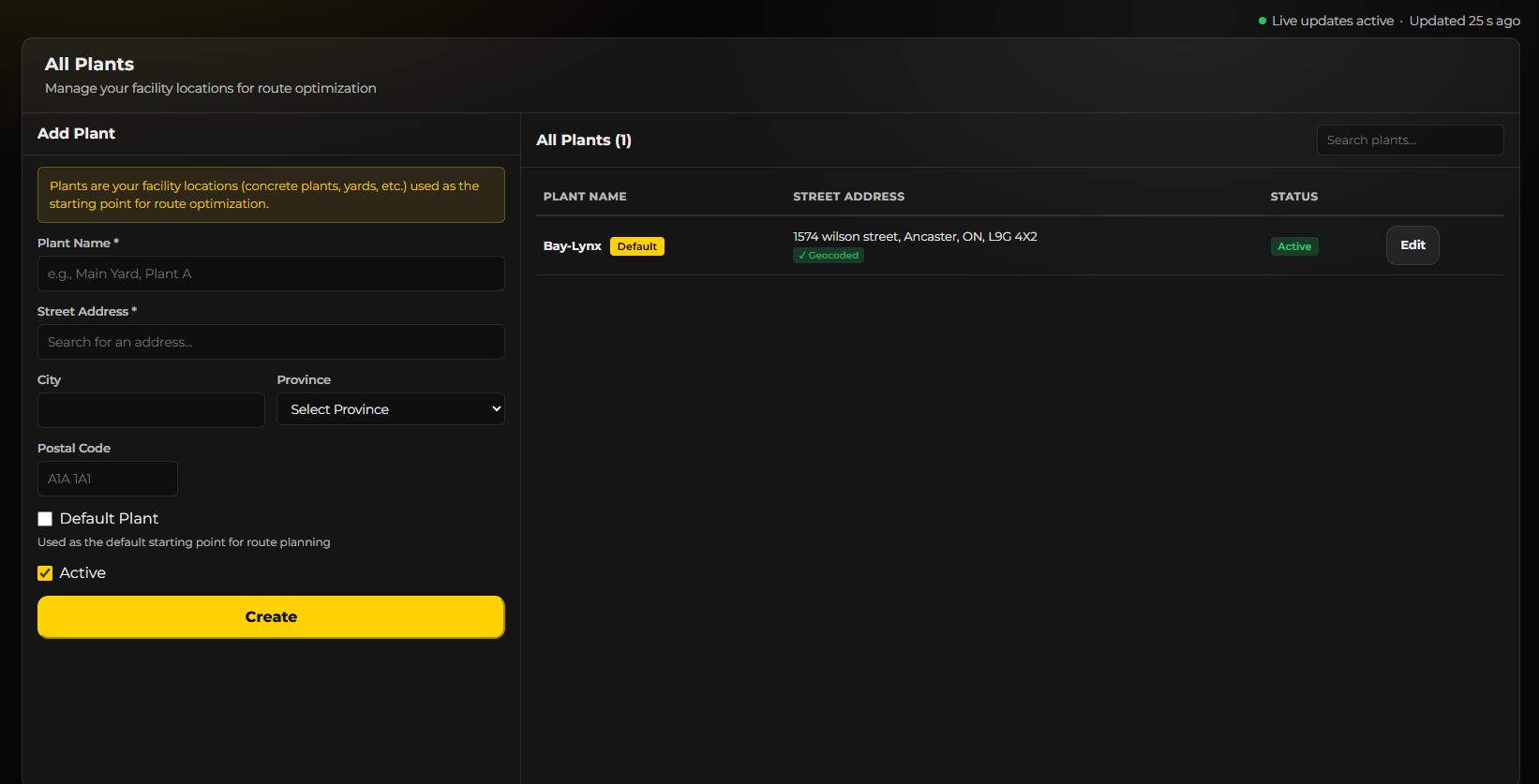
Register your facilities — plants, yards, depots — and set the default. These are the starting points route optimisation plans from and the trucks return to.

Plants & Yards

Explore Other Modules

Fleet Production Analytics Dispatch Maintenance Billing Inventory Tech Support Chat